Connecting BitMEX
To start trading through GinArea on BitMEX, you need to:
- Have a BitMEX account
- Complete KYC on the exchange
- Create an API key
- Connect the API key in your GinArea personal account
If you do not have an account on the exchange yet, register using our referral link and receive:
- 30% discount on all trading fees
- GinArea points accrual
- Additional privileges
https://www.bitmex.com/app/register/ginarea30
Creating an API Key on BitMEX
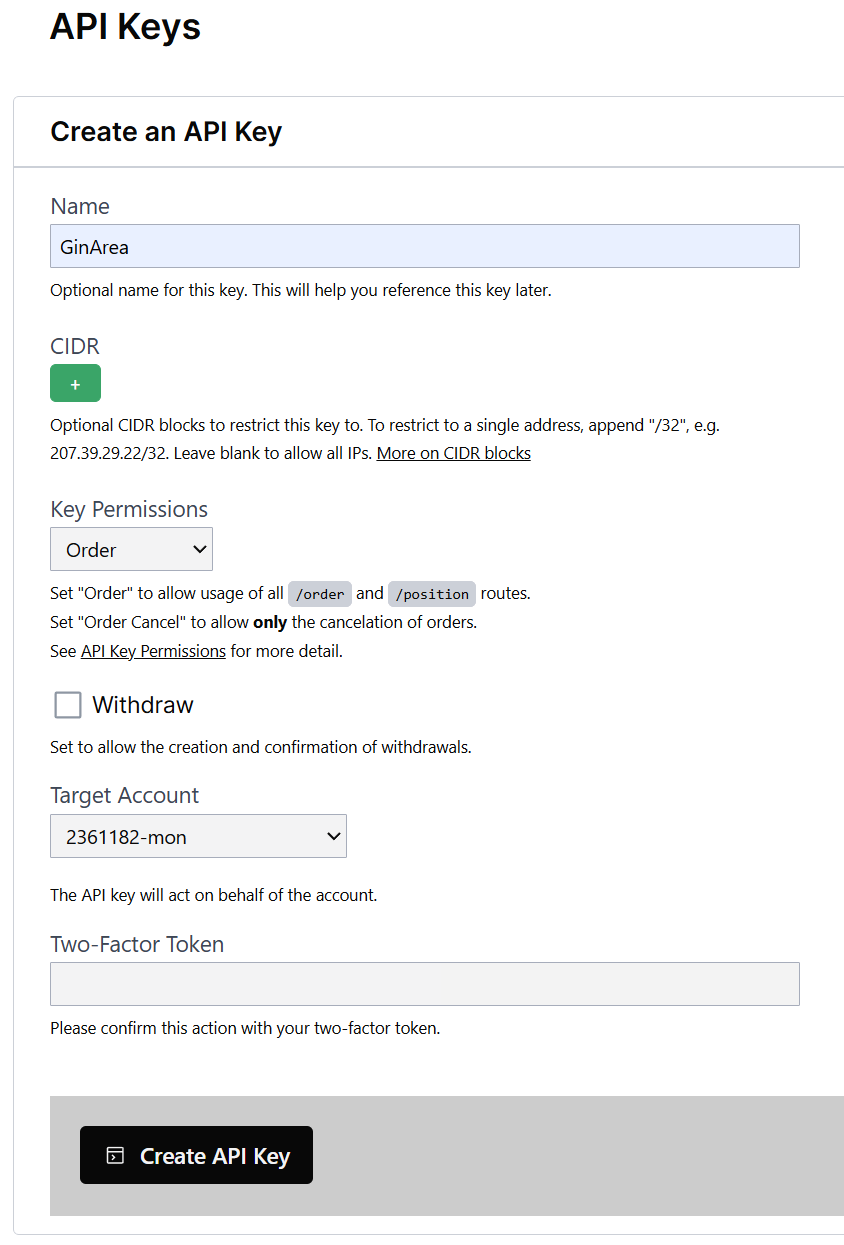
Go to the API key creation page on BitMEX:
API Keys
Fill in the following fields:
- Name — Enter any key name, for example, GinArea
- CIDR — Leave unchanged
- Key Permissions — Select Order
- Withdraw — Do not check this box
- Target Account — Select the main account for trading
- Enter your two-factor authentication code (2FA)
- Click Create API Key
Connecting the API Key to GinArea
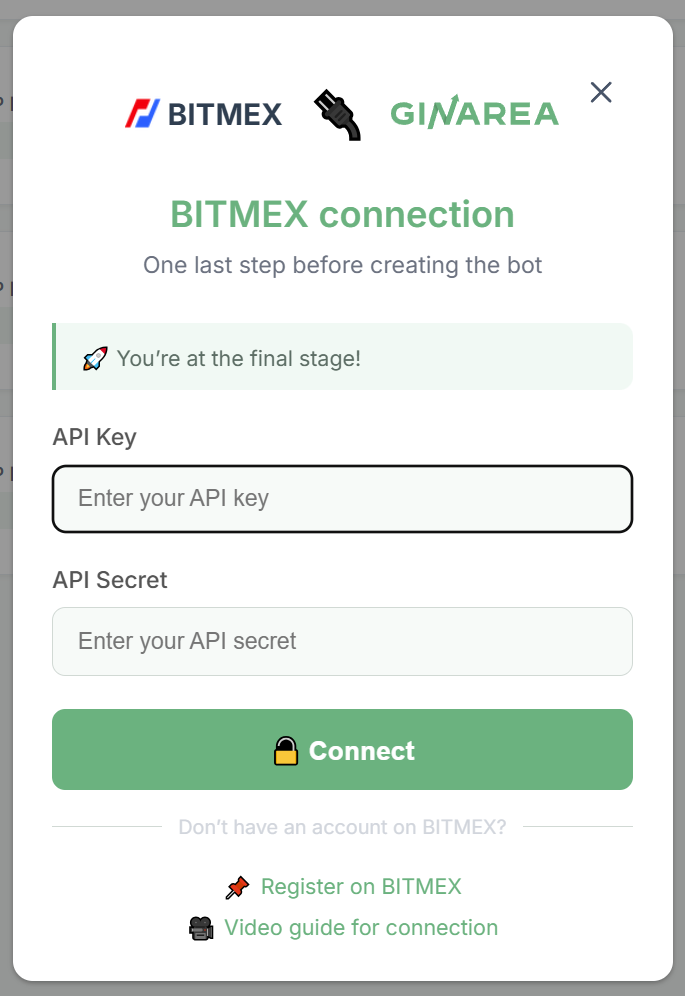
- Go to the Exchanges page on the GinArea website
- Click Connect and enter your API key details, including the key and secret
Additional Information
- Video guide for creating an API key and connecting it to GinArea:
BitMEX Connecting API Keys - GinArea API keys are permanent and do not require renewal