Connecting to KuCoin
To trade through GinArea on KuCoin, you need to:
- Have a KuCoin account
- Complete KYC
- Create an API key
- Connect the API key to GinArea
Creating an API Key on KuCoin
Go to the API key creation page on KuCoin:
Create API Key
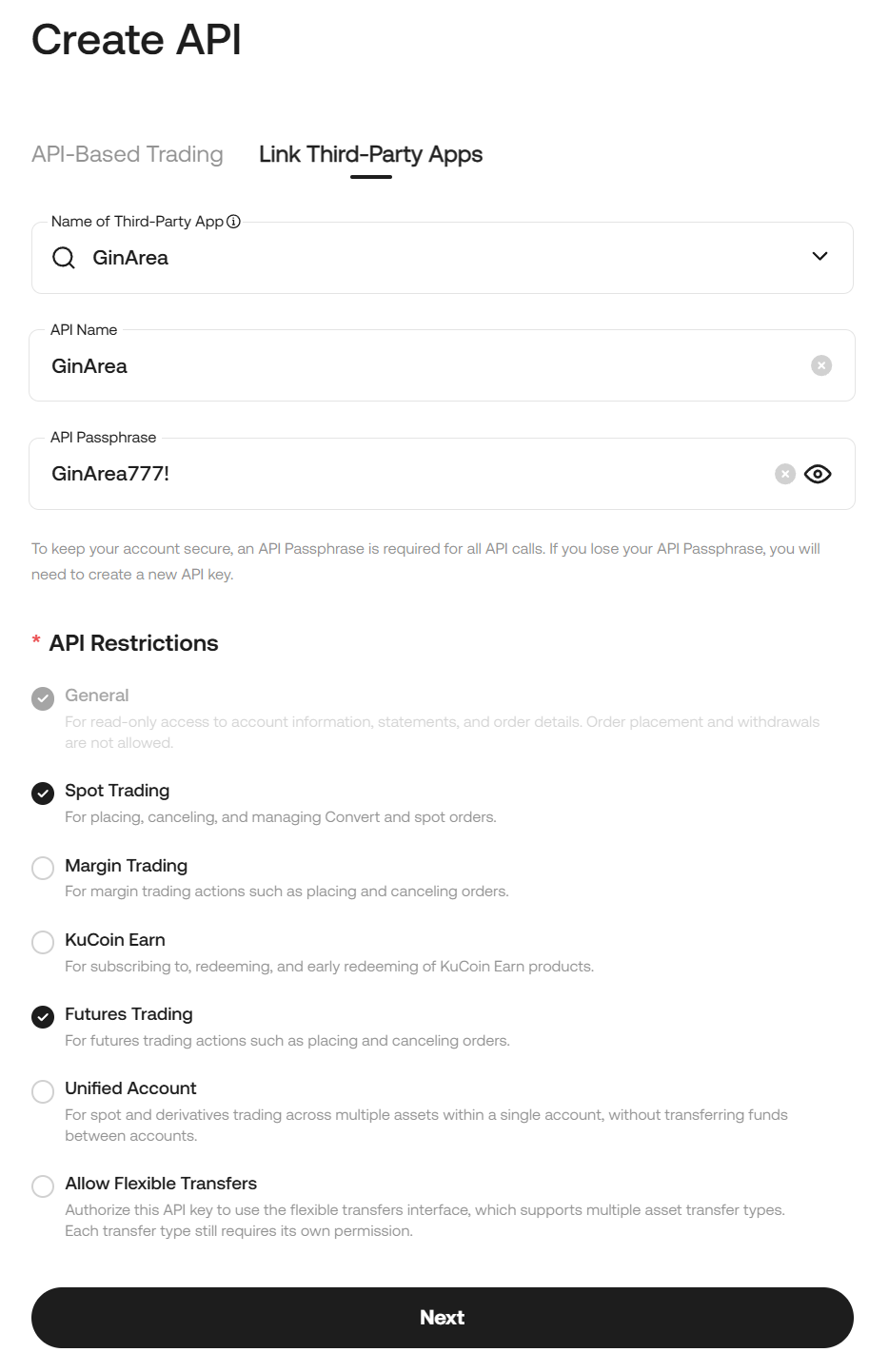
Click Create API and fill in the form:
- Third-Party App Link — Enable this option
- Third-Party App Name — Select GinArea
- API Name — Enter any convenient name, for example GinArea
- API Passphrase — Create a passphrase
- API Restrictions — Select Spot Trading and Futures Trading
Connecting the API Key to GinArea
Go to the Exchanges section on GinArea.
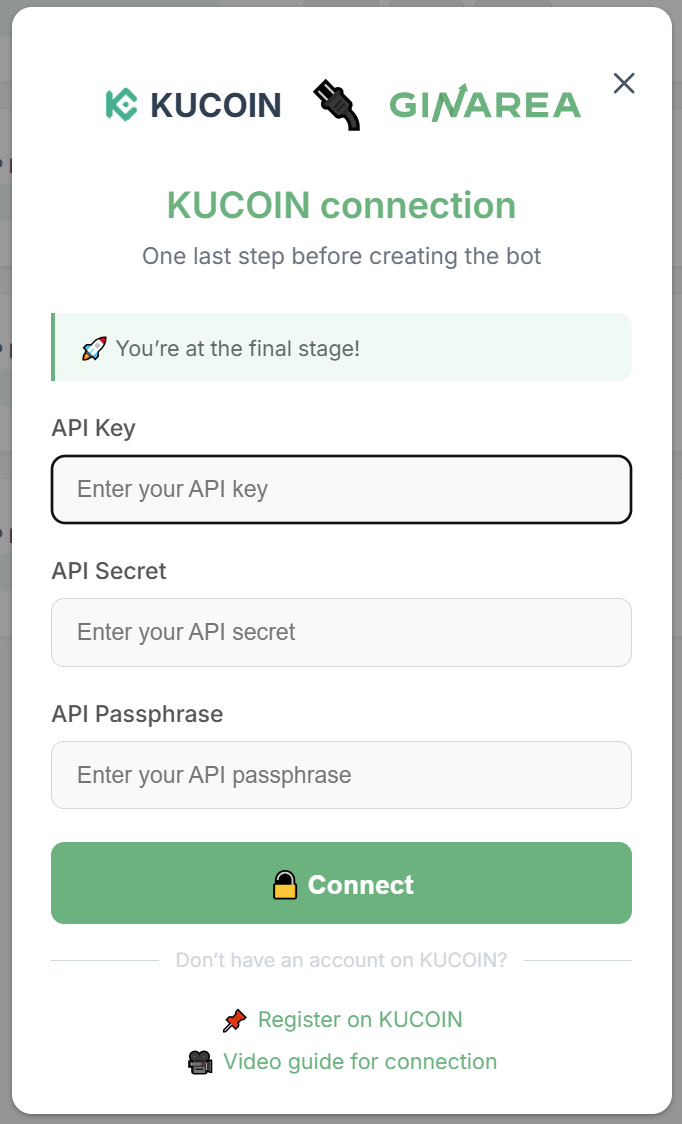
Click Connect next to KuCoin and enter the following details:
- API Key
- API Secret
- API Passphrase
Video guide: KuCoin Connecting API Keys