Orders
The Orders page contains all data on open and closed orders for the entire bot operation period.
- When you click the Orders button in the bot statistics, to the left of the Bot ID, the full list of orders for the entire bot operation period will be loaded.
- If you enable the Opened only toggle, closed orders will be hidden.
- To close individual bot orders, you must first pause the bot and then click the ❌ icon.
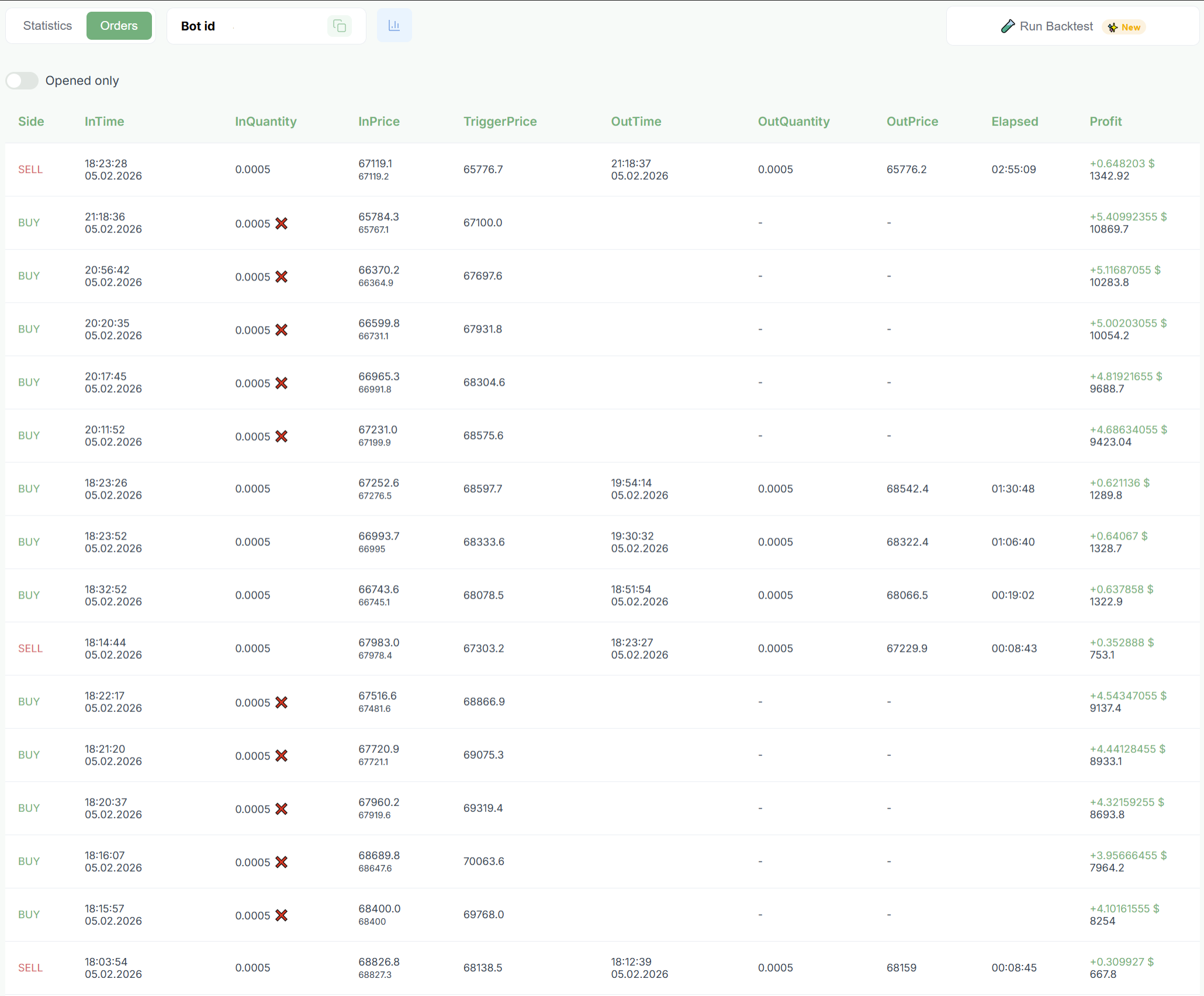
Statistics Fields
- Side — trade direction: Buy or Sell.
- InTime — order opening time.
- InQuantity — opened order volume.
- InPrice — order opening price.
- TriggerPrice — trigger activation price for this order.
- OutTime — order closing time.
- OutQuantity — closed order volume.
- OutPrice — order closing price.
- Elapsed — time between order opening and closing. The second line shows the condition by which the Out Stop was closed.
Profit
- Line 1 — price movement between InPrice and OutPrice.
- Line 2 — realized profit or loss on the order.
Order Closing Reason Labels
- TargetDistance — the order was closed by Target Distance.
- FullClose — the order was closed during full position closing.
- SingleClose — separate order closing.
- TakeProfit — closing by Take-Profit.
- StopLoss — closing by Stop-Loss.
- LiquidationSL — Liquidation Stop-Loss was triggered.
- IndicatorOUT — closing by indicator signal.
- Trailing — closing by P&L Trailing.