Connecting OKX
To start trading through GinArea on OKX, you need to:
- Have an OKX account
- Complete KYC on the exchange
- Create an API key
- Connect the API key in your GinArea personal account
Creating an API Key on OKX
Go to the API key creation page on OKX:
Create API Key
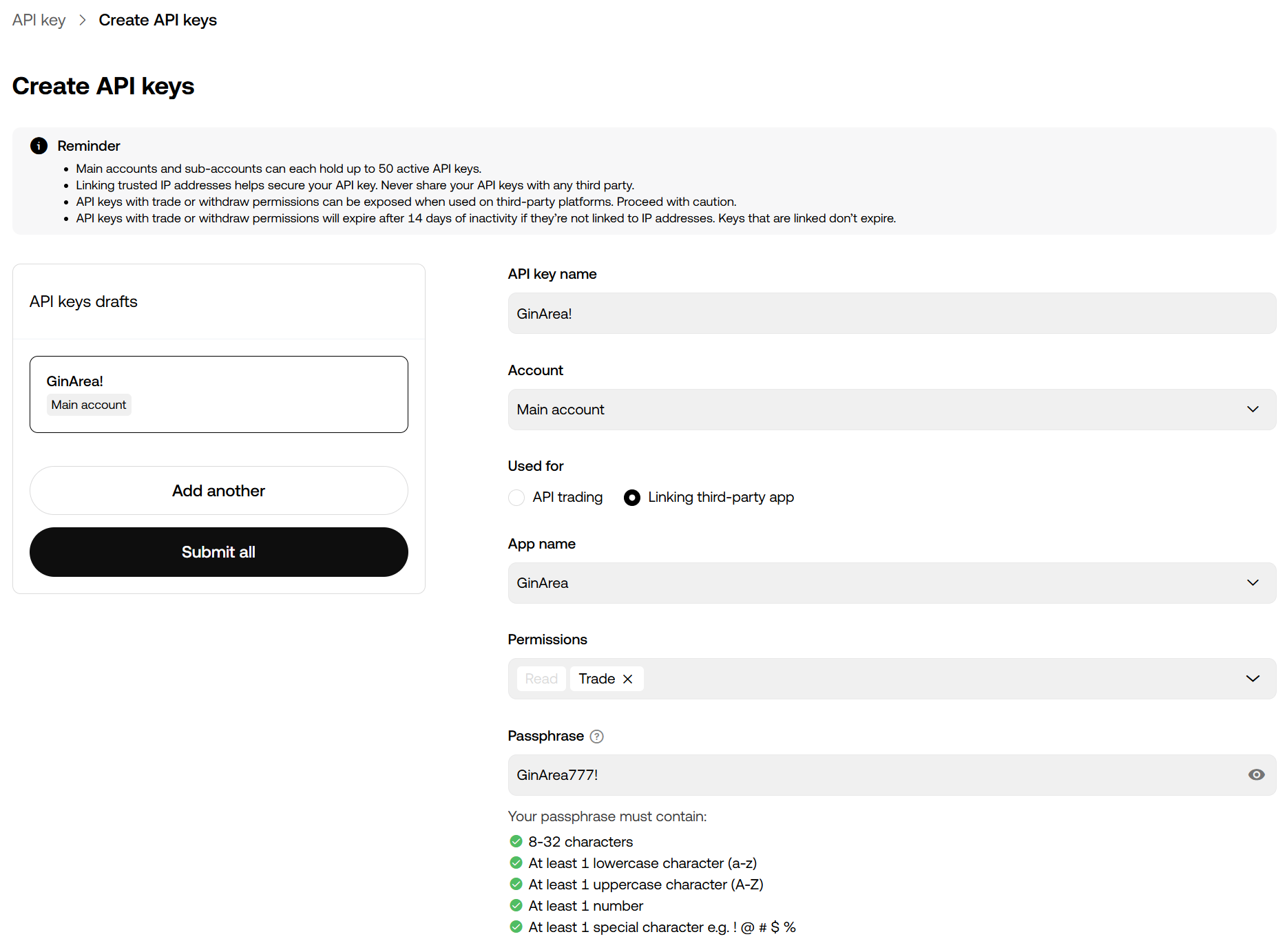
- Click Create API key.
- When creating the key, specify the following settings:
- API key name — Enter any convenient name for the key, for example, GinArea
- Used for — Select Third-party app connection
- App name — Enter GinArea
- Permissions — Select Trading access so that the bot can perform trading operations
- Passphrase — Create a passphrase. You will need it when connecting the API key on the GinArea website
Connecting the API Key to GinArea
After creating the API key on OKX, go to the Exchanges page in your GinArea personal account:
Exchanges
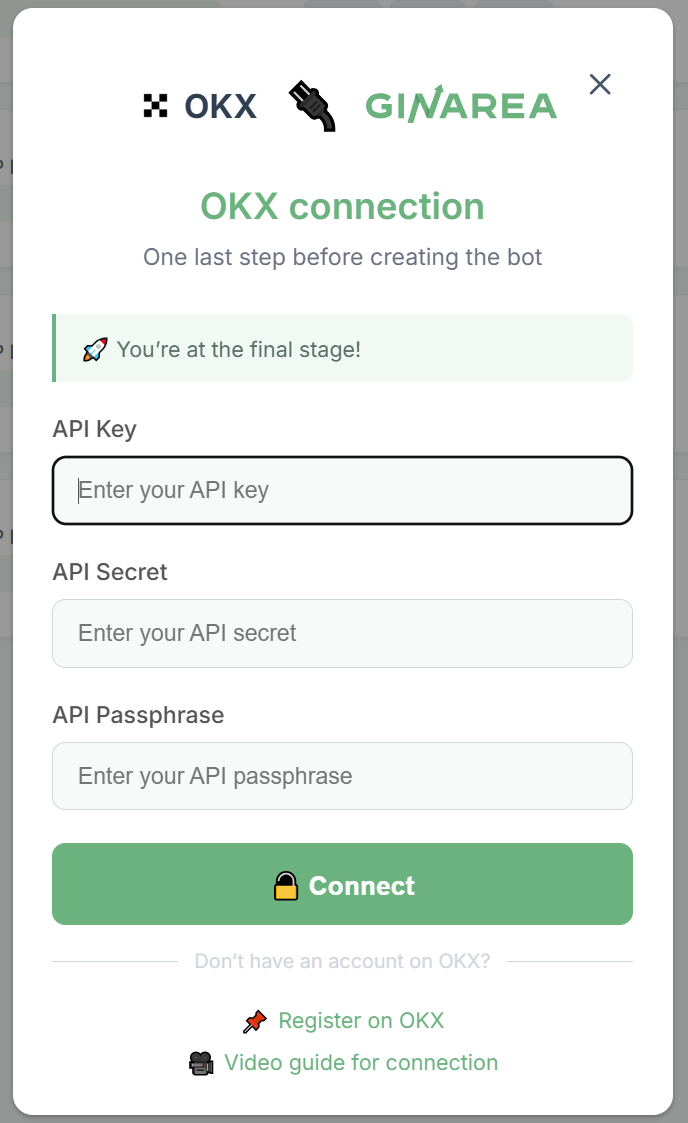
Copy the API key details from OKX and enter them in GinArea:
- API Key
- Secret Key
- Passphrase
After the key is successfully connected, GinArea will display the enabled permissions for the connected API key.
Video guide: OKX Connecting API Keys
Additional Information
- You can also create an API key through the OKX mobile app. The connection logic remains the same as on the website.
- API keys for GinArea that are created by selecting the app during key creation are permanent and do not require renewal.