One-Way Position Mode
To launch any GinArea bots except default bots, you need to use One-Way Position Mode on the exchange.
GinArea bots work according to the order - trigger principle. The exact entry price and closing trigger values are always available in the bot statistics, in the “Orders” section.
Each bot works only with its own orders and its own triggers. This allows several different bots to run on the same trading pair at the same time, including bots trading in different directions. Hedge Mode is not required for this.
How to enable One-Way Position Mode on different exchanges
Bybit
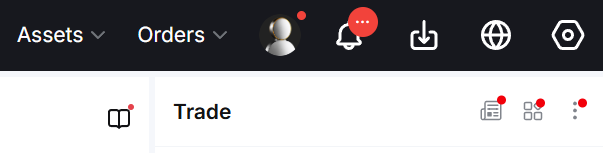
- Click the gear icon in the upper-right corner of the website.
- If your screen is narrow, the gear icon may be hidden in the dropdown menu to the right of the profile icon.
- In the “Position Mode” row, select “One-Way Mode”. If necessary, check “Apply to all pairs (USDT)”, then click OK.
OKX
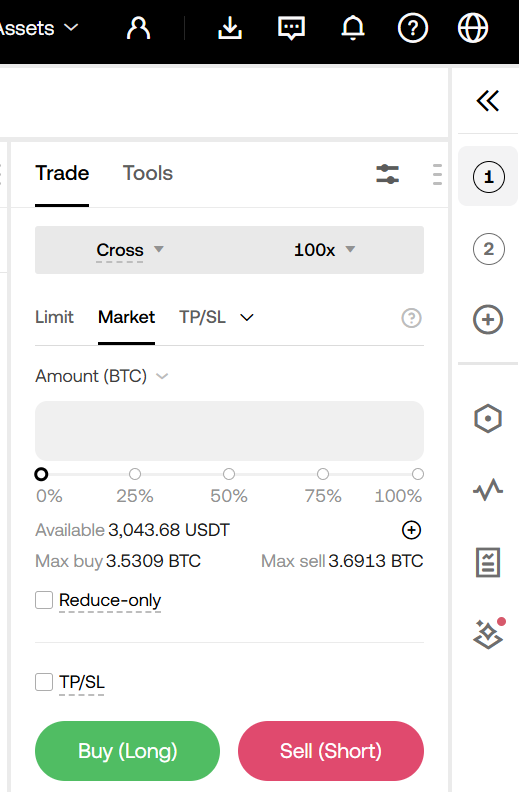
- Click the gear icon on the right-side vertical panel. The Settings menu will open.
- In the “Position Mode” row, select “One-Way Mode” and click OK.
KuCoin
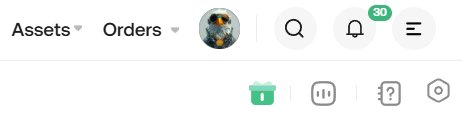
- Click the gear icon in the upper-right corner.
- In the settings menu that appears, select “One-Way Mode” in the Position Mode row.
- The changes are applied to all trading pairs immediately.
Please note: you can switch the position mode only if you have no open positions.
Possible error when launching a bot
If you try to launch any bot except a default bot while Hedge Mode is enabled, the bot will not start and its status will change to Failed.
You will also receive an error message in Telegram:
“Current account mode / trading mode is not supported.”