Bitget Connection
To start trading through GinArea on the Bitget exchange, you need to:
- Have an account on Bitget
- Complete KYC on the exchange
- Activate the «Unified Account» option in the «Assets» section of the exchange
- Create an API key
- Connect the API key in your GinArea personal account
Before creating the API key, make sure that the «Unified Account» option is enabled on Bitget on the assets page.
After changing the settings, wait until the changes take effect. This usually takes a few minutes.
Only after that should you create the API key.
Creating an API Key on Bitget
Open: Profile → API Keys.
Click the «Create API Key» button and select:
«System-generated API Key».
In the «Note» field, enter a name for your keys.
In the «Passphrase (API token)» field, enter a keyword that will later be required to connect the keys to the system.
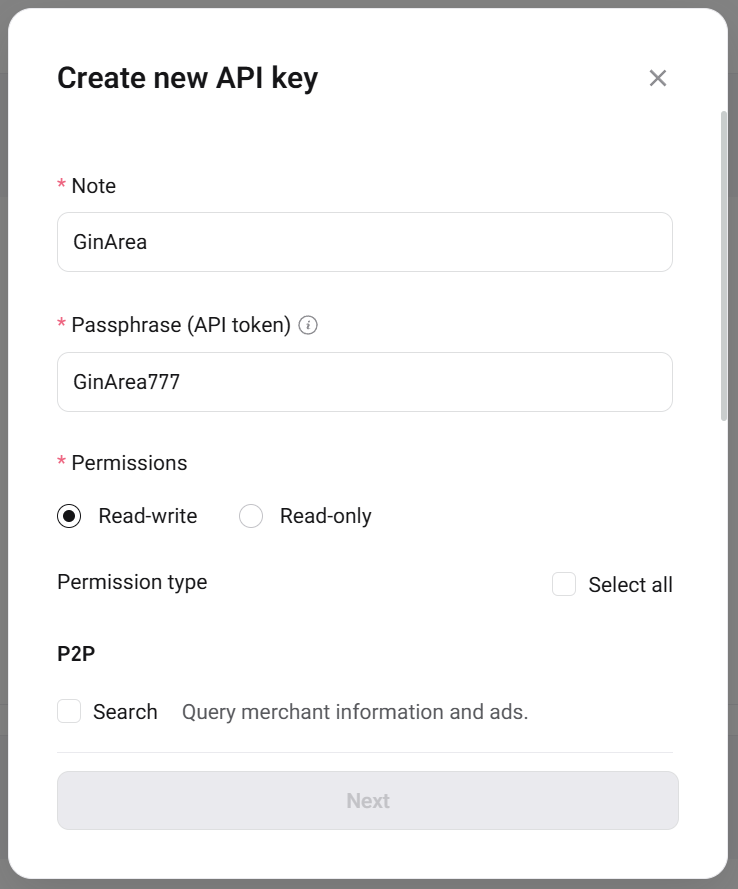
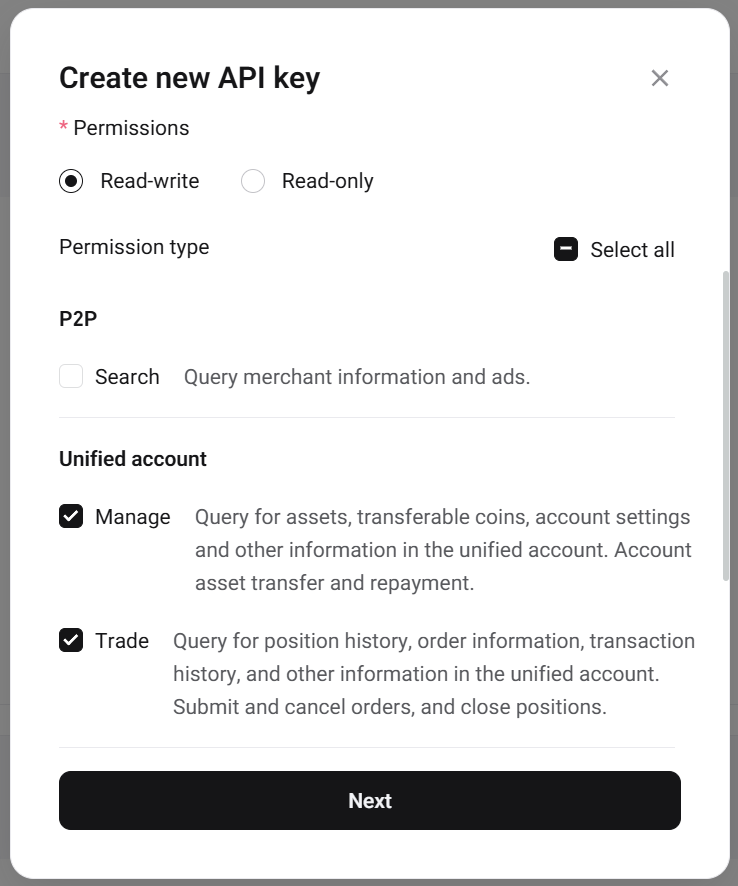
In the permissions settings, enable:
- «Read-Write»
- «Manage»
- «Trade»
Connecting the API Key to GinArea
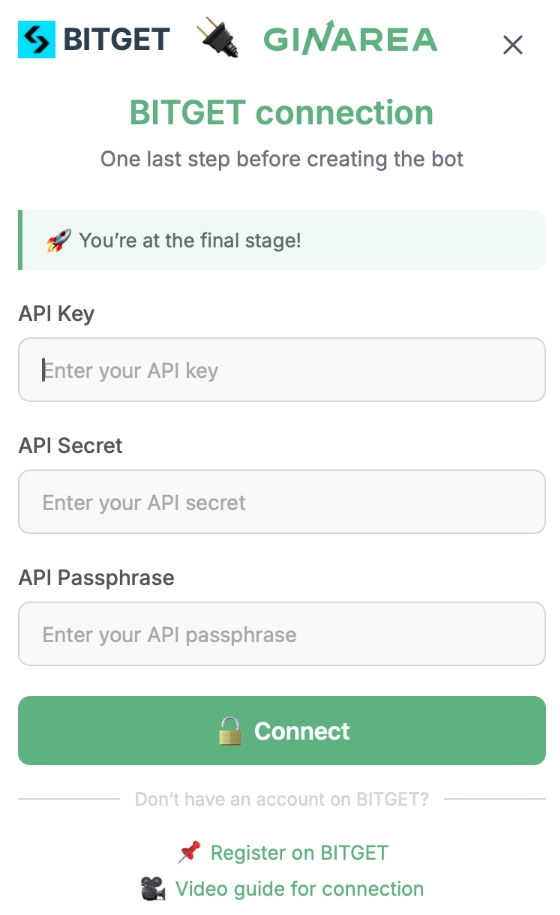
Go to the «Exchanges» section in GinArea.
Click the «Connect» button next to the Bitget exchange and enter the following data:
- API Key
- API Secret
- API Passphrase
Video guide for creating an API key and connecting it to GinArea:
Bitget Connecting API Keys